
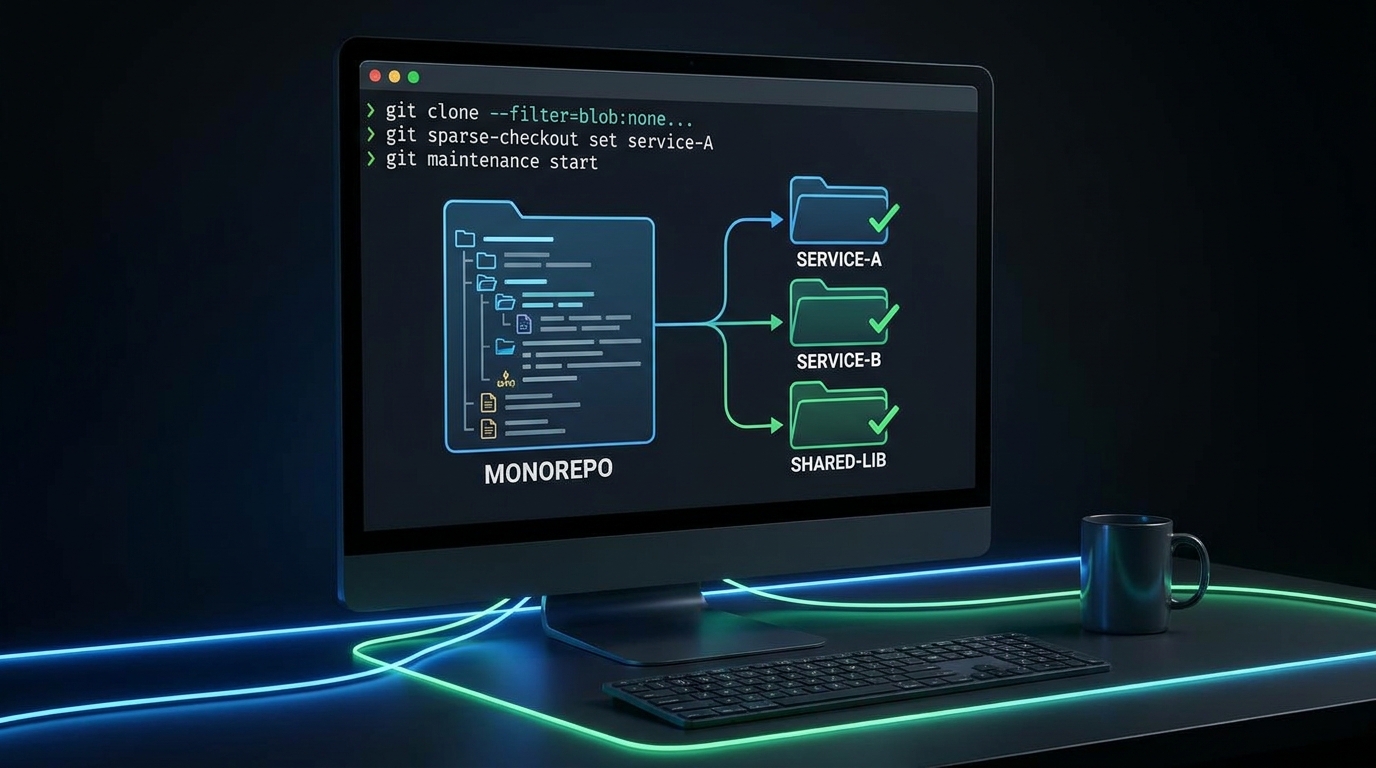
Last Monday, one of our developers opened a bug ticket at 9:07 a.m., then sent a second message at 9:31: “I still can’t run tests, Git is downloading objects.” Nobody had broken production. Nobody had merged a wild refactor. The repo had simply grown to the point where normal morning work started with waiting. That is when we stopped treating clone speed as a “nice to have” and started treating it as an engineering reliability issue.
If your team works in a large monorepo, Git monorepo performance is not just about one faster command. It is about protecting focus time, reducing laptop heat, and making onboarding less painful. The good news is you do not need a repo migration to fix this. You need a practical operating model that combines git partial clone, git sparse-checkout, and a lightweight git maintenance schedule.
First principle: move less data, later, and on purpose
The Git partial clone docs are explicit about the goal: avoid downloading objects you do not need upfront, then fetch missing objects on demand. In large repos, this single change often cuts first clone time dramatically because blobs, especially binary-heavy history, are the biggest weight.
At the same time, this is not free magic. The same documentation warns that dynamic fetches can be slower when objects are faulted in one-by-one, so you should expect tradeoffs when switching branches or opening older paths. That is why the right pattern is to combine partial clone with a well-scoped working tree.
The setup that worked for us
1) Start with a filtered clone
# Fast first clone, commit and tree history stays, blobs fetched when needed

git clone --filter=blob:none git@github.com:your-org/your-monorepo.git
cd your-monorepo

# Optional, explicit safety check

git config --get remote.origin.promisor
# expected: true
This keeps history navigation available while deferring blob transfer. For teams that work in a subset of services per sprint, this has a strong cost/benefit profile. If your workflow needs many historical file diffs offline, prefetch before travel or low-connectivity work.
2) Shape the working directory with sparse-checkout
# Cone mode is recommended for performance and simpler patterns

git sparse-checkout init --cone
git sparse-checkout set services/payments shared/lib-infra

# For very large repos, try sparse index for faster status/add

git sparse-checkout reapply --sparse-index
The sparse-checkout docs note that cone mode is the safer default and non-cone patterns have real drawbacks. They also note sparse index can speed up commands like git status and git add, but older tools may not understand sparse index entries. So roll this out with one team first, then expand after checking your IDE/plugins.
3) Keep local repos healthy with maintenance
# Register background maintenance with incremental strategy

git maintenance register

# Or run manually in CI images / ephemeral dev boxes

git maintenance run --task=commit-graph --task=prefetch --task=incremental-repack
According to git-maintenance docs, incremental schedules favor quick tasks like commit-graph and prefetch, while avoiding expensive full gc in normal hourly cadence. That matches real developer workflows better: smoother daily commands without surprise long pauses.
Tradeoffs to discuss before rollout
- Network dependence: partial clones assume promisor remotes are reachable when missing objects are needed.
- Tool compatibility: sparse index may confuse older external tooling that expects a fully expanded index.
- Debugging across untouched paths: engineers investigating cross-cutting bugs may need to broaden sparse scope temporarily.
- Binary strategy: if your repo keeps pushing large binaries, GitHub’s own guidance on repository health still applies. Move large artifacts to releases or LFS when appropriate.
We treated these as explicit architecture choices, not hidden footnotes. That reduced “why is Git weird today?” tickets almost immediately.
A rollout blueprint you can finish this week
- Pick one service team with a painful local clone/startup loop.
- Baseline metrics: clone time, checkout time,
git statustime, disk use after first day. - Enable filtered clone + sparse-checkout in onboarding docs and bootstrap script.
- Run a two-week trial and collect friction logs from IDE, test tools, and release scripts.
- Standardize successful defaults as a shared script plus troubleshooting cheatsheet.
While doing this, we linked related internal practices so teams could move as one system, not as isolated fixes. If you are also hardening CI identity and delivery controls, this post on OIDC and automated secret rotation complements the same reliability mindset. For environment drift, pair this with our GitOps drift-detection runbook. If your backend tests remain slow after Git tuning, our PostgreSQL query optimization guide helps cut feedback loops further. And if webhook retries are part of your monorepo stack, this Node.js idempotent webhook processor article is a good companion read.
Troubleshooting: common failures and fast fixes
Symptom: opening an older file triggers sudden slowdowns
Cause: with git partial clone, missing blobs are fetched on demand.
Fix: prefetch likely paths before deep refactors, or broaden sparse scope for the sprint.
Symptom: IDE search misses files you expected
Cause: your sparse-checkout definition excludes those directories.
Fix: run git sparse-checkout add path/to/area, then git sparse-checkout reapply.
Symptom: tooling behaves oddly after enabling sparse index
Cause: some older integrations assume a full index model.
Fix: disable sparse index temporarily with git sparse-checkout init --no-sparse-index, then validate toolchain versions before retrying.
Symptom: repo size keeps growing despite local optimization
Cause: source history still accumulates large files and generated artifacts.
Fix: enforce artifact storage policy (LFS/releases/object storage), and run repository audits regularly.
FAQ
1) Is partial clone better than shallow clone for monorepos?
Usually yes for day-to-day engineering. Shallow clone limits commit history depth, while partial clone keeps history graph but filters object transfer. For long-lived teams that need history context, partial clone is often the safer long-term choice.
2) Should every developer use sparse-checkout?
Not always. Platform engineers or incident responders may need broad visibility. A good policy is default sparse profiles per team, with an easy command to expand scope temporarily when investigations cross boundaries.
3) Can maintenance run in CI runners too?
Yes, especially for warm reusable runners. For short-lived ephemeral runners, use targeted tasks that pay off quickly, such as commit-graph and prefetch, instead of heavy full-gc routines.
Actionable takeaways
- Use git partial clone first (
--filter=blob:none) to remove the biggest startup bottleneck. - Apply git sparse-checkout in cone mode with team-specific path presets.
- Adopt a lightweight git maintenance schedule so performance does not decay after week two.
- Document one rollback path (
disable sparse,no-sparse-index) to lower rollout fear. - Track developer-time metrics, not just repo-size metrics, to prove impact.
Git monorepo performance is one of those rare platform improvements that developers feel on day one. If your team is still normalizing 20-minute setup cycles, start here. You can recover that time this sprint without reorganizing your entire architecture.
Leave a Reply