
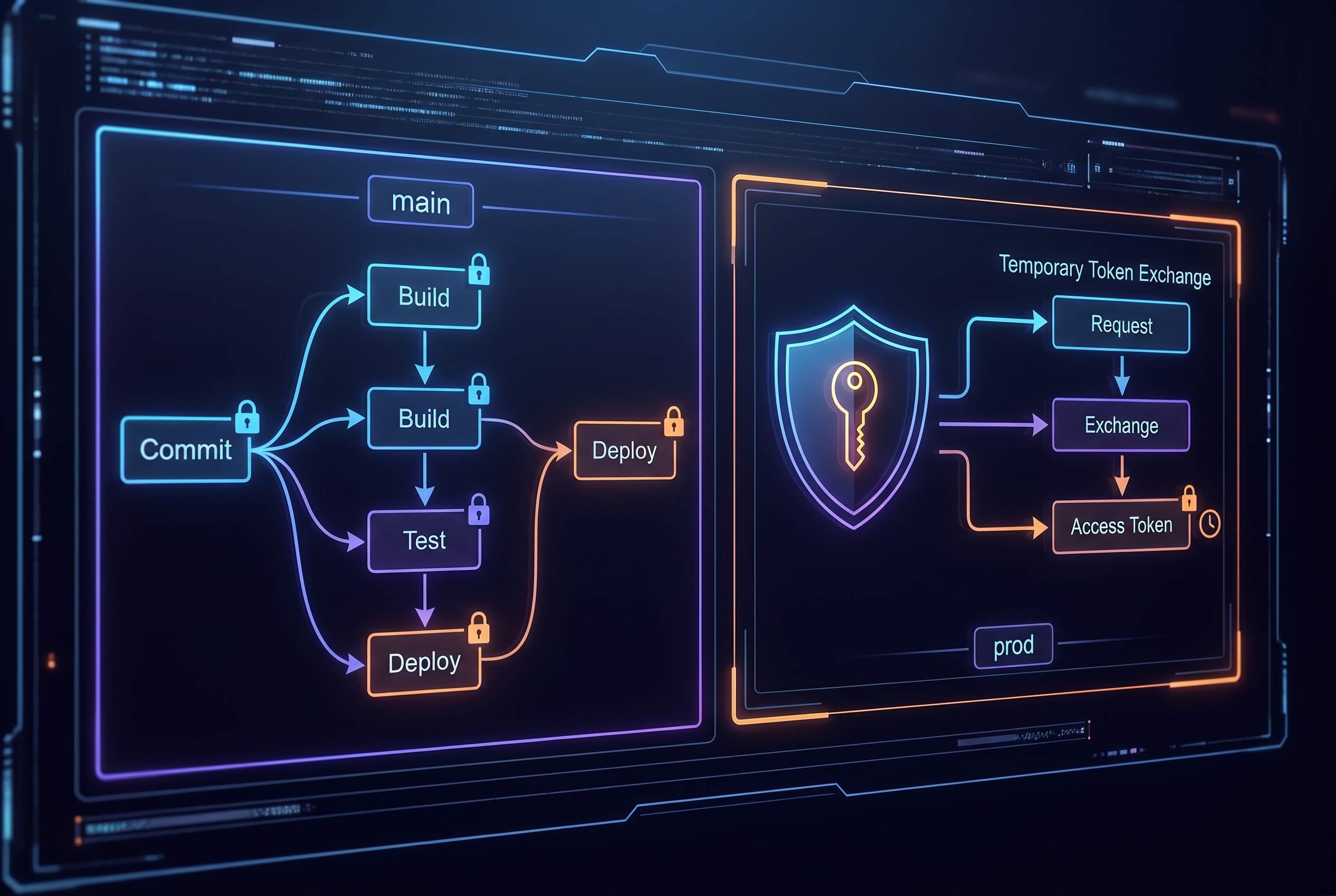
At 2:07 AM, the deploy pipeline turned red in only one AWS account. Staging passed, production passed, but a single regional account failed with AssumeRoleWithWebIdentity errors. The team had already moved to OIDC, so everyone assumed identity was “solved.” It was not. Their trust policy and session controls were still too broad in some places, too brittle in others.
The fix was not “add retries” or “relax policy.” They redesigned around GitHub Actions OIDC multi-account AWS: account-scoped roles, tighter subject matching, session-level restrictions, and a controlled break-glass path for urgent releases. Deploys became slightly more opinionated, but security reviews and incident triage got much faster.
This guide focuses on that higher-signal version of OIDC: not just replacing secrets, but making multi-account delivery auditable and predictable when systems are under stress.
Primary keyword: GitHub Actions OIDC multi-account AWS
Secondary keywords: AWS IAM trust policy for GitHub, id-token write permissions, break-glass deployment controls
The pattern that failed audit (and why smart teams still do it)
Most teams begin with a repository secret like AWS_ACCESS_KEY_ID and AWS_SECRET_ACCESS_KEY. It works, it is easy to document, and it unblocks delivery. The trouble starts later:
- Secrets live longer than intended, often across engineer turnover.
- Blast radius is unclear when one key is reused across multiple workflows.
- Rotation becomes a project instead of a routine operation.
- Auditors ask for workload identity evidence, but the system only proves key possession.
OIDC changes that model. Instead of storing long-lived AWS credentials in GitHub, each workflow job requests a short-lived identity token and exchanges it for temporary AWS credentials. The key security benefit is not “magic safety”. It is tighter, inspectable policy boundaries around who can assume which role and under what repository context.
The OIDC contract AWS actually enforces
From the GitHub and AWS docs, three points matter operationally:
- Use GitHub as OIDC provider:
https://token.actions.githubusercontent.com. - Set audience to
sts.amazonaws.comfor standard AWS commercial partitions. - Constrain
subaggressively, because that is your primary workload identity guardrail.
A trust policy like this is a good baseline for a production environment role:
{
  "Version": "2012-10-17",
  "Statement": [
    {
      "Effect": "Allow",
      "Principal": {
        "Federated": "arn:aws:iam::123456789012:oidc-provider/token.actions.githubusercontent.com"
      },
      "Action": "sts:AssumeRoleWithWebIdentity",
      "Condition": {
        "StringEquals": {
          "token.actions.githubusercontent.com:aud": "sts.amazonaws.com",
          "token.actions.githubusercontent.com:sub": "repo:your-org/your-repo:environment:prod"
        }
      }
    }
  ]
}
Two practical notes that teams miss:
- If your workflow uses GitHub Environments,
subshould targetenvironment:ENV_NAME, not branch format. - AWS does not support arbitrary custom OIDC claims from GitHub in the same way some other cloud providers do, so design around supported claim matching patterns.
A multi-account workflow that fails closed (not open)
For real organizations, one repository often deploys to multiple AWS accounts. The pattern below uses OIDC plus account-level guardrails so one mistaken role assumption does not spill into the wrong target:
name: deploy-multi-account
on:
  workflow_dispatch:
    inputs:
      target:
        type: choice
        options: ["staging", "prod"]

permissions:
  id-token: write
  contents: read

jobs:
  deploy:
    runs-on: ubuntu-latest
    environment: ${{ inputs.target }}
    strategy:
      matrix:
        include:
          - env: staging
            account_id: "111111111111"
            role_name: "gha-staging-deploy"
          - env: prod
            account_id: "222222222222"
            role_name: "gha-prod-deploy"
    if: matrix.env == inputs.target
    steps:
      - uses: actions/checkout@v4

      - name: Configure AWS credentials via OIDC
        uses: aws-actions/configure-aws-credentials@v6
        with:
          role-to-assume: arn:aws:iam::${{ matrix.account_id }}:role/${{ matrix.role_name }}
          role-session-name: gha-${{ matrix.env }}-${{ github.run_id }}
          aws-region: ap-south-1
          allowed-account-ids: ${{ matrix.account_id }}
          inline-session-policy: >-
            {"Version":"2012-10-17","Statement":[{"Effect":"Allow","Action":["cloudformation:*","s3:*"],"Resource":"*"}]}

      - name: Verify caller identity
        run: aws sts get-caller-identity

      - name: Deploy
        run: ./scripts/deploy-${{ matrix.env }}.sh
Why this holds up better during incidents:
id-token: writeis explicit, so token issuance is intentional and reviewable.allowed-account-idscatches accidental credential use in the wrong AWS account.- Session policy can temporarily narrow permissions further than the role baseline.
- Environment-bound jobs let you enforce approvals on production without blocking staging flow.
role-session-nameprovides clean CloudTrail correlation to GitHub run IDs.
Tradeoffs you should choose deliberately
OIDC is better for most teams, but it is not free:
- Setup complexity vs. secret simplicity: trust policy mistakes can block deploys on day one. Static secrets are easier to start, harder to govern long term.
- Tight policy vs. speed of new branches: strict
submatching is safer, but requires process when adding release branches or environments. - Single shared role vs. role per environment: shared roles reduce IAM objects; separate roles improve blast-radius control and audit clarity.
My recommendation for growing teams is role-per-environment (dev, staging, prod), plus branch/tag restrictions and environment approvals for prod. It adds a little IAM overhead but pays back during the first serious security review.
Troubleshooting: what breaks first (and how to fix it fast)
1) Error: Not authorized to perform sts:AssumeRoleWithWebIdentity
Usually the trust policy sub does not match actual workflow context. Compare expected value with real run context (branch vs environment style), then tighten or correct the condition.
2) Error: no OIDC token available
Check workflow permissions. Missing id-token: write is the most common cause. Also ensure the OIDC step runs in the same job where token is needed.
3) Works on main, fails on tagged releases
Your trust policy probably hard-codes branch refs only. If you deploy on tags, add a separate narrowly scoped condition for release tags instead of broad wildcards.
4) Production deploy happened without intended human review
The job may not reference a protected GitHub Environment. Add environment: prod to the deploy job and configure required reviewers plus allowed branches in environment settings.
5) Intermittent account mismatch in multi-account orgs
Use explicit role-to-assume per account and set allowed-account-ids in workflow configuration. Keep a hard identity check (aws sts get-caller-identity) before deploy commands.
6) Break-glass deploy path bypasses normal controls
Create a separate emergency role with narrow, time-bound permissions and mandatory incident ticket references in role session names. Treat break-glass runs as auditable exceptions, not a convenient second deploy lane.
A pragmatic 14-day rollout plan
If you need this done without freezing delivery, run it like a migration, not a rewrite. In week one, create a staging role and wire one low-risk workflow to OIDC. Keep the old secret path present but unused so rollback is possible. Validate assumptions using three checks after each run: the assumed role ARN, CloudTrail traceability, and branch/environment policy compliance.
In week two, replicate the pattern for production with tighter conditions and environment approval gates. Do a dry-run deploy, then a real release window with one engineer and one reviewer on call. Once two clean production runs are complete, remove static IAM keys from GitHub and revoke them in AWS. This sequencing prevents the common anti-pattern where teams “enable OIDC” but keep old secrets alive for months.
Also document ownership. Someone should own trust policy updates when repos split, environments are renamed, or release branches evolve. OIDC posture decays silently if no one is responsible for policy hygiene.
Related engineering notes on 7tech
- GitHub artifact attestations and deploy-time provenance checks
- Git-native operational memory and policy gates for DevOps
- Security hardening with human-readable, git-tracked operations
- Reliability discipline when failures cascade under load
FAQ
Do we need to remove every static AWS secret on day one?
No. Migrate one deploy workflow first, confirm role assumptions and audit logs, then remove static credentials after a clean rollback-tested cycle. Phased migration reduces release risk.
Can one IAM role safely serve all repositories?
Technically yes, but it is usually a governance mistake. Per-repo or per-environment roles make blast radius smaller and access reviews simpler.
Is wildcard sub ever acceptable?
Sometimes in early staging setups, but treat it as temporary. Move to explicit branch, tag, or environment-bound subjects before production dependency forms around permissive policy.
Actionable takeaways
- Enable OIDC with explicit
id-token: writeand retire long-lived AWS keys from deployment workflows. - Use strict
aud/subtrust policy checks and prefer environment-bound subjects for production roles. - In multi-account pipelines, enforce
allowed-account-idsand run an identity check before every deploy step. - Use session policies and deterministic role session names to make emergency investigations faster.
- Design a narrow break-glass role with explicit approval and logging requirements, instead of weakening normal production policy.
If your team already uses OIDC, the next maturity jump is account-safe execution, not just secret removal. That is where reliability and security finally stop competing.
Leave a Reply