
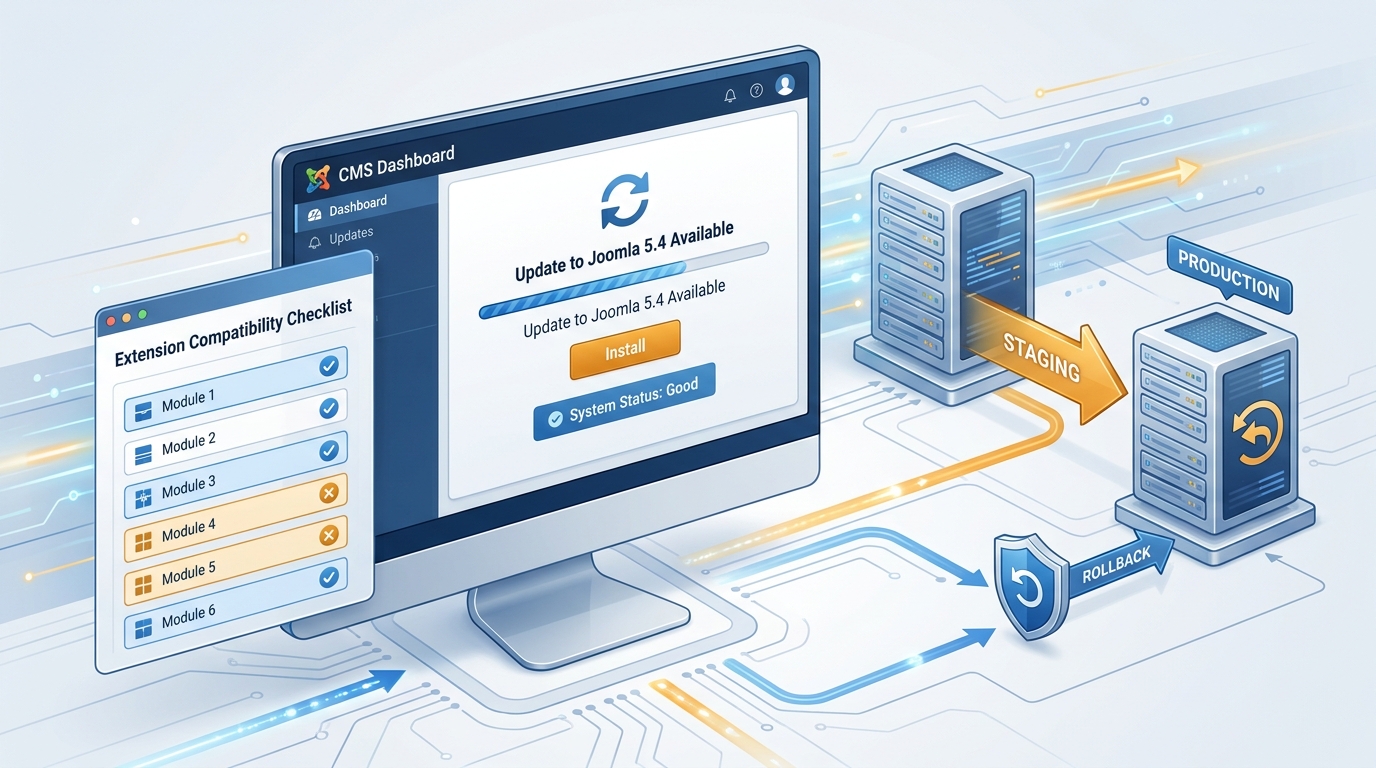
At 9:12 PM on a Friday, one of our editors pinged, “Why does the homepage menu open the right URL, but every article menu link lands on 404?” Five minutes earlier, we had finished what looked like a clean Joomla maintenance window. Cache was warm, the login page worked, and there were no PHP fatals. But category routing was broken because one extension update quietly changed behavior in a plugin chain we had not rehearsed end to end.
That incident changed how we do updates. We stopped treating upgrades as a single “click update” event and started treating them like release engineering. This article is the exact Joomla 5.4 update runbook we use now, especially for sites with many third-party extensions and custom templates.
If you run Joomla in production, the key lesson is simple, compatibility risk is not evenly distributed. Core updates are usually predictable. Extension interactions are where things get expensive.
Why this runbook matters now
Two recent facts from official Joomla channels are worth anchoring on. First, Joomla continues shipping quickly, with Joomla 5.4.5 released on 14 April 2026 as a bugfix release. Second, Joomla’s extension update model relies on update-server XML metadata, where constraints like target platform and minimum PHP version decide whether an update is considered valid. That model is powerful, but it also means your site behavior can change through extension update paths even when core looks routine.
In practice, this creates a tradeoff:
- Update quickly to get fixes and security patches.
- Update safely so editor workflows, menus, forms, and plugin event chains do not regress.
You need both. The process below is how we balance speed and reliability.
A four-pass Joomla 5.4 update runbook
Pass 1, freeze a known-good baseline (15 minutes)
Before touching production, capture a machine-readable inventory. This is your diff anchor if something behaves differently after update.
#!/usr/bin/env bash
set -euo pipefail

APP_DIR="/var/www/html"
STAMP="$(date +%F-%H%M)"
SNAP_DIR="/srv/releases/snapshots/$STAMP"
mkdir -p "$SNAP_DIR"

# Read Joomla DB settings from configuration.php
DB_HOST=$(php -r "include '$APP_DIR/configuration.php'; $c=new JConfig; echo $c->host;")
DB_USER=$(php -r "include '$APP_DIR/configuration.php'; $c=new JConfig; echo $c->user;")
DB_PASS=$(php -r "include '$APP_DIR/configuration.php'; $c=new JConfig; echo $c->password;")
DB_NAME=$(php -r "include '$APP_DIR/configuration.php'; $c=new JConfig; echo $c->db;")
DB_PREFIX=$(php -r "include '$APP_DIR/configuration.php'; $c=new JConfig; echo $c->dbprefix;")

php -v | head -n 1 > "$SNAP_DIR/php-version.txt"

mysqldump -h "$DB_HOST" -u "$DB_USER" -p"$DB_PASS" "$DB_NAME" \
  --single-transaction --quick --routines --events \
  > "$SNAP_DIR/db.sql"

mysql -h "$DB_HOST" -u "$DB_USER" -p"$DB_PASS" "$DB_NAME" -e "
SELECT extension_id, type, folder, element, enabled, protected, manifest_cache
FROM ${DB_PREFIX}extensions
ORDER BY type, folder, element;" > "$SNAP_DIR/extensions.tsv"

echo "Snapshot written to $SNAP_DIR"
Tradeoff note, command-line passwords are visible in process history on some systems. For long-term hardening, use a restricted MySQL option file or secret manager in CI/CD, not plain shell history.
Pass 2, rehearse on staging with production data shape
Staging has to mirror production extension mix, PHP minor version, and caching mode. A “toy” staging environment gives false confidence. During rehearsal, verify real editor paths: creating an article, assigning categories, rendering menu links, media upload, and frontend search.
# Example post-update smoke test for staging
BASE_URL="https://staging.example.com"

curl -fsS "$BASE_URL/" >/tmp/home.html
curl -fsS "$BASE_URL/index.php/component/content/category-blog" >/tmp/category.html

# crude but useful checks for routing regressions
grep -qi "404" /tmp/home.html && echo "Unexpected 404 marker on home" && exit 1
grep -qi "Joomla\\!" /tmp/home.html || echo "Homepage content marker missing"

# optional, confirm key plugin paths still load
curl -fsS "$BASE_URL/administrator/" >/tmp/admin-login.html
grep -qi "mod-login" /tmp/admin-login.html || echo "Admin login module signature changed"

echo "Staging smoke checks passed"
Why this matters, many update failures are not hard crashes. They are partial regressions that only show up in route generation, module position rendering, or editor plugins.
Pass 3, production window with explicit go/no-go gates
Use a short maintenance window, but define success gates before you begin:
- No PHP fatal errors in web logs after cache warmup.
- Top navigation, category pages, and article pages resolve correctly.
- Admin login, article save, and media upload workflows pass once.
- No unexpected disabled extensions in the extension table.
This sounds obvious, but teams skip it and then debate “is this good enough?” while traffic is live. Predefined gates remove emotional decision-making under pressure.
Pass 4, rollback strategy you can execute in under 10 minutes
A Joomla rollback strategy should be boring and fast. If the gate fails, roll back immediately. Do not live-debug on production while editors are blocked.
#!/usr/bin/env bash
set -euo pipefail

APP_DIR="/var/www/html"
SNAP_DIR="$1"   # e.g. /srv/releases/snapshots/2026-04-26-0130

DB_HOST=$(php -r "include '$APP_DIR/configuration.php'; $c=new JConfig; echo $c->host;")
DB_USER=$(php -r "include '$APP_DIR/configuration.php'; $c=new JConfig; echo $c->user;")
DB_PASS=$(php -r "include '$APP_DIR/configuration.php'; $c=new JConfig; echo $c->password;")
DB_NAME=$(php -r "include '$APP_DIR/configuration.php'; $c=new JConfig; echo $c->db;")

rsync -a --delete "$SNAP_DIR/files/" "$APP_DIR/"
mysql -h "$DB_HOST" -u "$DB_USER" -p"$DB_PASS" "$DB_NAME" < "$SNAP_DIR/db.sql"

echo "Rollback complete, run smoke checks before reopening traffic"
Tradeoff note, full-file rollback is safest but slower on large media trees. If your media library is huge, split application code and uploads into separate strategies so rollbacks remain fast.
How we handle Joomla extension compatibility without guesswork
Joomla extension compatibility is where upgrade risk concentrates. We use three practical checks:
- Version constraints check, compare extension requirements (PHP/Joomla target platform) against your runtime before touching production.
- Event-path check, test pages that trigger major plugin events, not just homepage and login.
- Disabled-extension diff, compare enabled/disabled states before and after update to catch silent deactivations.
This reduces the “works on my machine” failure mode that appears when only core pages are tested.
Troubleshooting, what breaks most often and how to recover
1) Menu links resolve to 404 after update
Likely cause: router behavior change in template/plugin interaction, or stale cache. Fix: clear all Joomla caches, verify menu item aliases, then temporarily disable recently updated routing-related plugins one by one in staging first.
2) Admin pages load, but article save fails
Likely cause: editor plugin or custom field validation changes. Fix: test with default editor plugin and minimal plugin set; inspect server logs for plugin event stack traces.
3) Update appears successful, but random modules disappear
Likely cause: module assignment drift or extension state change. Fix: compare pre/post extension inventory and module assignments from database snapshots, then restore known-good states.
4) Slow frontend immediately after update
Likely cause: opcode/cache warmup and stale template caches. Fix: warm top routes with scripted requests, then re-measure before declaring a regression.
FAQ
Q1: Should I always install extension updates in the same window as Joomla core updates?
Not always. For low-risk maintenance windows, separating core and extension updates can reduce blast radius and improve incident attribution. The tradeoff is more windows to schedule.
Q2: Is staging enough, or do I still need rollback prep?
You still need rollback prep. Staging catches many issues, but production traffic shape, CDN behavior, and real editor habits can surface edge cases you did not simulate.
Q3: What is the minimum viable checklist if my team is small?
Snapshot files + DB, verify extension inventory, run a realistic staging rehearsal, define go/no-go gates, and keep a tested rollback script. That is the smallest safe Joomla staging checklist we recommend.
Actionable takeaways
- Treat each update as a release, not a click, baseline first, then change.
- Test extension event paths, not just homepage and admin login.
- Define rollback triggers before the window starts, and execute quickly if a gate fails.
- Keep your runbook in version control, and revise it after every incident or near miss.
Related 7Tech reading
- Safe plugin interoperability lessons from WordPress
- How to stop runbook drift in DevOps teams
- Security hardening habits that actually survive busy teams
- Control-plane safety patterns for maintenance windows
If your last Joomla upgrade felt lucky rather than repeatable, start with Pass 1 and Pass 4 this week. You can add deeper rehearsal over time, but those two steps alone change the risk curve immediately.
Leave a Reply